Study · tracker · PR407
Office hours term log: times, questions and follow-ups
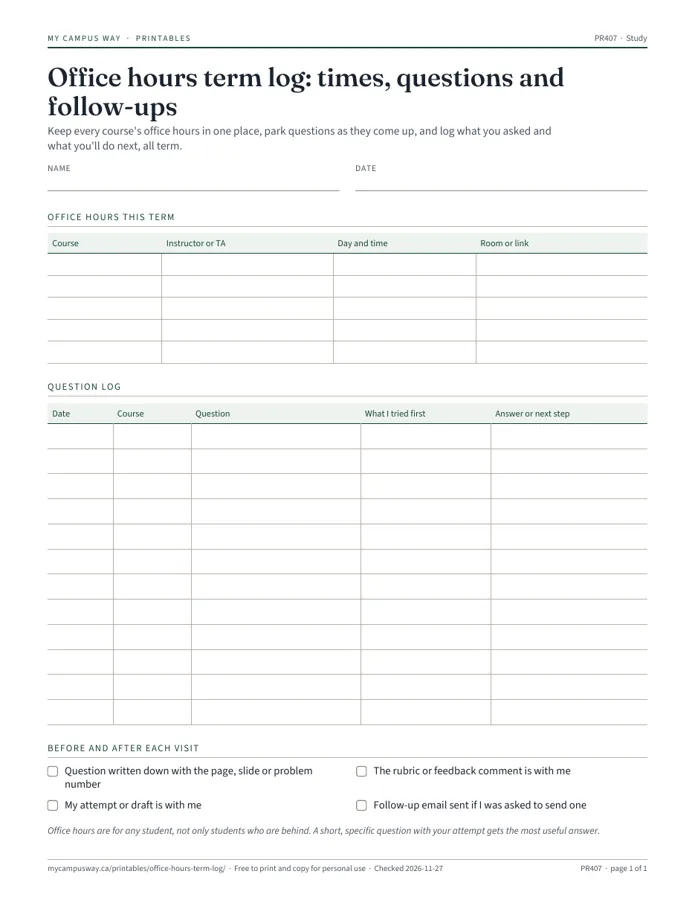
Keep every course's office hours in one place, park questions as they come up, and log what you asked and what you'll do next, all term.
Online companion in the toolkit: Office-hours prep sheet (TK246).
Download
- PDF, US Letter (fillable) · 100 KB
- PDF, A4 (fillable) · 100 KB
- Word (.docx), editable · 38 KB
- Excel (.xlsx), editable · 8 KB
The PDFs have fill-in boxes you can type into in a PDF reader, or print and write by hand. Both sizes print without scaling. The Word and Excel files are yours to change. Nothing is sent to us.
How to use it
- Copy each course's office hours from the course outline.
- Park questions in the log as they come up.
- Bring your attempt and ask the specific question.
- Write the answer or next step before you leave.
What's on the sheet
Office hours this term
- Columns: Course, Instructor or TA, Day and time, Room or link
- 5 blank rows
Question log
- Columns: Date, Course, Question, What I tried first, Answer or next step
- 12 blank rows
Before and after each visit
- Question written down with the page, slide or problem number
- My attempt or draft is with me
- The rubric or feedback comment is with me
- Follow-up email sent if I was asked to send one
Online version: How Canadian classrooms work (online)
Prefer to type the numbers in? Office-hours prep sheet (online template)