Career · tracker · PR452
OCI and articling tracker
Track on-campus interviews, in-firm interviews, offers and articling applications. Copy dates only from your school's career office and the law society's official pages.
Download
- PDF, US Letter (fillable) · 104 KB
- PDF, A4 (fillable) · 106 KB
- Word (.docx), editable · 38 KB
- Excel (.xlsx), editable · 7 KB
The PDFs have fill-in boxes you can type into in a PDF reader, or print and write by hand. Both sizes print without scaling. The Word and Excel files are yours to change. Nothing is sent to us.
How to use it
- Open this year's school and law-society pages.
- Enter each firm and the official due dates.
- Log every interview and written offer.
- Record your accepted position and the remaining deadlines.
What's on the sheet
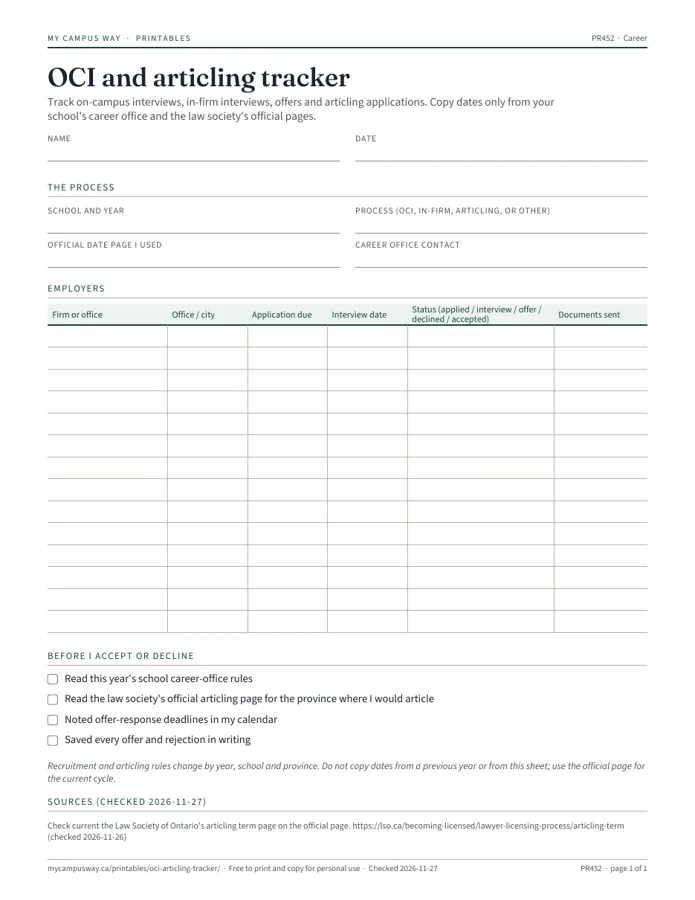
The process
- School and year
- Process (OCI, in-firm, articling, or other)
- Official date page I used
- Career office contact
Employers
- Columns: Firm or office, Office / city, Application due, Interview date, Status (applied / interview / offer / declined / accepted), Documents sent
- 14 blank rows
Before I accept or decline
- Read this year's school career-office rules
- Read the law society's official articling page for the province where I would article
- Noted offer-response deadlines in my calendar
- Saved every offer and rejection in writing
Sources
- Check current the Law Society of Ontario's articling term page on the official page. Source · checked 2026-11-26